
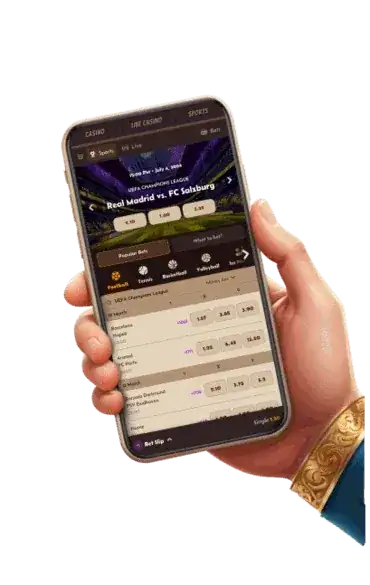






























Why there's no app in the store
Apple and Google only allow real-money casino apps where the operator holds a local licence, and online casinos can't be licensed in Australia at all. So there's no official Alawin app in the App Store or Google Play. If you see an APK file offered under the Alawin name, leave it: unofficial installers are a favourite way to spread malware.
The browser version has upsides of its own: it updates itself, takes no storage and runs on any recent phone.
Shortcut on iPhone
- Open Alawin in Safari.
- Tap the share icon at the bottom.
- Choose "Add to Home Screen".
- Name it and tap Add.
There's no official downloadable Alawin app. Only use the shortcut from your browser.
Shortcut on Android
- Open Alawin in Chrome.
- Tap the three-dot menu at the top right.
- Pick "Add to Home screen" or "Install app".
- Confirm, and the icon appears with your apps.
The shortcut opens the site full screen without the address bar, so it feels like a normal app.
What works on mobile






| Feature | Mobile | Note |
|---|---|---|
| Pokies | Yes | Almost the full range, portrait too |
| Live casino | Yes | Adjustable video quality |
| Sports betting | Yes | In-play and cash out |
| Cashier | Yes | Cards, e-wallets, crypto |
| Verification | Yes | Snap documents with the camera |
| Live chat | Yes | Via the icon in the corner |
Deposits and withdrawals on your phone
The mobile cashier works like desktop, but small screens make mistakes easier. With crypto, use copy and paste or the QR code; never type an address by hand.
- Open the cashier from the menu or your balance.
- Choose deposit or withdraw and the method.
- For crypto, pick the network and scan or copy the address.
- Check the amount and confirm.
- Track the status in your transaction history.
Lower the video quality at live tables when you're on mobile data.
Which browser works best
On iPhone, Safari is the one to use, because only Safari creates a clean full-screen shortcut. On Android, Chrome, Samsung Internet and Firefox all work, with Chrome the most reliable for installing. Data-saver modes and aggressive ad blockers can upset live streams or the cashier; if something won't load, switch them off for the site and try again.
Phone, tablet or computer
Phone
Short pokies sessions, following an in-play bet and quick crypto deposits from a wallet on the same device.
Tablet
The bigger screen makes live tables and many-line pokies easier to read.
Computer
Best for reading bonus terms, comparing odds and handling documents and withdrawals.
Data use
Pokies mostly use data while loading. A high-quality live stream can use several hundred megabytes an hour. On a small mobile plan, stick to Wi-Fi or drop the video quality.
Common mobile glitches
| Problem | Fix |
|---|---|
| Game won't load | Refresh or clear the browser cache |
| Live video stutters | Lower quality or move to Wi-Fi |
| Shortcut opens the login page | Allow cookies for the site |
| Document photo fails | Allow camera access for the browser |
| Screen rotates mid-game | Lock screen orientation |
Updates, storage and battery
Because the browser version isn't a real app, there are no updates to download. New games, features and security fixes are there as soon as you refresh. Only the browser cache uses storage; if it grows large or something loads badly, clear it for the site in your browser settings. You'll need to log in again, but your balance and bonus progress stay put. Switch between phone and laptop and you'll see the same state everywhere, because it all lives on the casino's servers.
Live streams and pokie animations drain the battery faster than normal browsing, so keep a charger handy for long live sessions. Browser notifications are more limited than a native app's, which has an upside too: fewer nudges to play at the wrong moment.
Keeping your phone secure
- Screen lock with a code, fingerprint or face.
- No deposits or withdrawals on public Wi-Fi.
- Keep the operating system up to date.
- Don't save your casino password in the browser if others use your phone.
- Lost your phone? Change your password from another device right away.
If you deposit with crypto, protect the wallet with its own PIN and keep the recovery phrase on paper, never as a photo. Help with sign-in issues is at Alawin login.
Verdict
On your phone Alawin works just like desktop, with nothing to download. Add the shortcut to your home screen, lock down your phone and drop the video quality on the go. For documents and bonus terms, a computer is still more comfortable.
Frequently asked questions
Is Alawin in the App Store or Google Play?
No. Alawin runs in your browser and can be saved to your home screen.
Is the bonus the same on mobile?
Yes. The welcome offer and promos are the same on every device.
Does live casino work on my phone?
Yes, in portrait too, with adjustable video quality.
Can I withdraw on mobile?
Yes. The cashier works the same as on desktop.
Is the shortcut safe?
Yes. It's a browser feature and doesn't install third-party software.
Updated: 7 October 2026. 18+. Gambling can be addictive. Independent information site with affiliate links. Alawin is an offshore operator and is not licensed in Australia.